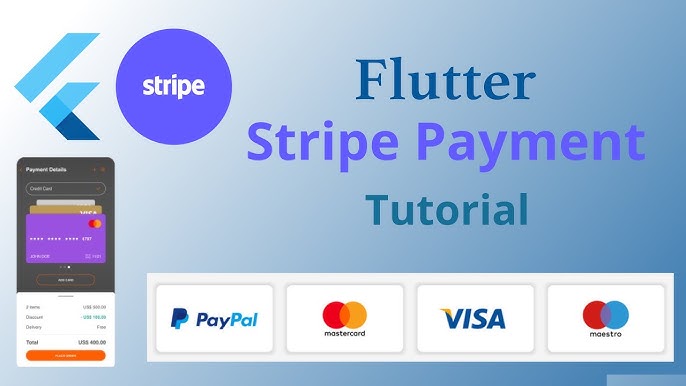
If you’re building an e-commerce, subscription, or service-based Flutter app, payment integration is one of the most crucial steps. Flutter provides smooth ways to connect popular payment gateways like Stripe, PayPal, and Razorpay, allowing you to accept secure payments directly inside your app.
In this guide, we’ll cover:
- Why payment integration matters
- Overview of Stripe, PayPal, and Razorpay
- How to integrate each with Flutter
- Best practices for secure payment handling
1. Why Payment Integration Matters
- 💳 Enables in-app purchases and e-commerce checkout
- 🌍 Accept payments worldwide in multiple currencies
- 🔒 Provides security with PCI DSS compliance
- 🚀 Improves user experience by avoiding redirects
2. Popular Payment Gateways for Flutter
Stripe
- Widely used globally
- Supports credit/debit cards, Apple Pay, Google Pay, and more
- Strong APIs and SDKs
PayPal
- Trusted brand for online payments
- Supports wallets, cards, and bank transfers
- Easy checkout flow
Razorpay
- Popular in India & Asia
- Supports UPI, cards, wallets, net banking
- Easy integration for regional payments
3. Integrating Stripe in Flutter
Use the flutter_stripe package.
Setup
dependencies:
  flutter_stripe: ^11.0.0
Example: Payment Intent Flow
import 'package:flutter_stripe/flutter_stripe.dart';

void initPayment() async {
  Stripe.publishableKey = "your-publishable-key";

  await Stripe.instance.initPaymentSheet(
    paymentSheetParameters: SetupPaymentSheetParameters(
      paymentIntentClientSecret: "your-client-secret",
      merchantDisplayName: "My Shop",
    ),
  );

  await Stripe.instance.presentPaymentSheet();
}
👉 The backend generates a PaymentIntent and provides the clientSecret.
4. Integrating PayPal in Flutter
For PayPal, use flutter_paypal or handle through webview checkout.
Example: PayPal Checkout
import 'package:flutter_paypal/flutter_paypal.dart';

Navigator.of(context).push(MaterialPageRoute(
  builder: (BuildContext context) => UsePaypal(
    clientId: "your-client-id",
    secretKey: "your-secret",
    returnURL: "success.url",
    cancelURL: "cancel.url",
    transactions: [
      {
        "amount": {
          "total": '10.00',
          "currency": "USD",
        },
        "description": "Test Payment"
      }
    ],
    note: "Contact us for any issues",
    onSuccess: (params) {
      print("Success: $params");
    },
    onError: (error) {
      print("Error: $error");
    },
    onCancel: (params) {
      print("Cancelled: $params");
    },
  ),
));
✔ Users log in with PayPal → confirm → payment completes.
5. Integrating Razorpay in Flutter
Use the razorpay_flutter package.
Example: Razorpay Checkout
import 'package:razorpay_flutter/razorpay_flutter.dart';

class RazorpayDemo extends StatefulWidget {
  @override
  _RazorpayDemoState createState() => _RazorpayDemoState();
}

class _RazorpayDemoState extends State<RazorpayDemo> {
  late Razorpay _razorpay;

  @override
  void initState() {
    super.initState();
    _razorpay = Razorpay();
    _razorpay.on(Razorpay.EVENT_PAYMENT_SUCCESS, _handlePaymentSuccess);
    _razorpay.on(Razorpay.EVENT_PAYMENT_ERROR, _handlePaymentError);
    _razorpay.on(Razorpay.EVENT_EXTERNAL_WALLET, _handleExternalWallet);
  }

  void _openCheckout() {
    var options = {
      'key': 'your-api-key',
      'amount': 50000, // amount in paise (500 INR)
      'name': 'Test Payment',
      'description': 'Payment for Order',
      'prefill': {'contact': '1234567890', 'email': '[email protected]'}
    };
    _razorpay.open(options);
  }

  void _handlePaymentSuccess(PaymentSuccessResponse response) {
    print("SUCCESS: ${response.paymentId}");
  }

  void _handlePaymentError(PaymentFailureResponse response) {
    print("ERROR: ${response.code} - ${response.message}");
  }

  void _handleExternalWallet(ExternalWalletResponse response) {
    print("EXTERNAL WALLET: ${response.walletName}");
  }

  @override
  void dispose() {
    _razorpay.clear();
    super.dispose();
  }
}
✔ This opens Razorpay’s checkout UI inside your app.
6. Best Practices for Payment Integration
- 🔑 Never store card details directly in your app
- 🛡 Use HTTPS and secure backend servers
- 🌍 Offer multiple gateways for wider reach
- 📊 Track and log transactions for customer support
✅ Final Thoughts
Payment integration in Flutter apps is straightforward with the right packages.
- Use Stripe for global businesses.
- Use PayPal if your audience prefers wallets & easy checkout.
- Use Razorpay for Indian/Asian markets.
By integrating the right gateway, you’ll make your app secure, user-friendly, and ready for global commerce.