
Flutter has quickly become one of the most popular frameworks for building cross-platform applications. Whether you’re a beginner in app development or an experienced programmer exploring new tools, Flutter offers a powerful and beginner-friendly way to build apps for iOS, Android, web, and desktop—all from a single codebase.
In this guide, we’ll cover everything you need to know to get started with Flutter.
1. What is Flutter?
Flutter is an open-source UI toolkit created by Google. It allows developers to:
- Build cross-platform apps with one codebase.
- Create beautiful UIs with a wide range of customizable widgets.
- Deliver high performance apps thanks to its Dart language and rendering engine.
2. Why Choose Flutter?
Here are some key reasons developers love Flutter:
- Hot Reload → See changes instantly without restarting your app.
- Rich Widgets → A huge collection of prebuilt and customizable UI components.
- Cross-Platform → Write once, run anywhere (Android, iOS, Web, Desktop).
- Strong Community → Backed by Google and supported by thousands of developers worldwide.
3. Installing Flutter
To start building with Flutter, follow these steps:
Step 1: Install Flutter SDK
- Download Flutter SDK from the official Flutter website.
- Extract it and add the bin/ folder to your system PATH.
Step 2: Install an IDE
You can use:
- Android Studio (with Flutter & Dart plugins)
- Visual Studio Code (lightweight and very popular among Flutter developers)
Step 3: Run Flutter Doctor
Open a terminal and type:
flutter doctor
This command checks your setup and tells you what’s missing (e.g., Android SDK, Xcode, etc.).
4. Your First Flutter Project
Run the following command to create a new Flutter project:
flutter create my_first_app
cd my_first_app
flutter run
By default, Flutter generates a simple counter app with buttons, text, and state management. This helps you quickly understand how Flutter works.
5. Understanding Flutter’s Structure
A Flutter app is built with widgets:
- StatelessWidget → For static UI (doesn’t change).
- StatefulWidget → For dynamic UI (changes when data changes).
Example:
import 'package:flutter/material.dart';

void main() => runApp(MyApp());

class MyApp extends StatelessWidget {
  @override
  Widget build(BuildContext context) {
    return MaterialApp(
      home: Scaffold(
        appBar: AppBar(title: Text("Hello Flutter")),
        body: Center(child: Text("Welcome to Flutter!")),
      ),
    );
  }
}
6. Learning Dart Basics
Flutter uses Dart, a language developed by Google. It’s easy to learn, especially if you know JavaScript, Java, or C#.
Key concepts:
- Variables:
var name = "Flutter"; - Functions:
void greet(String name) { print("Hello $name!"); } - Classes:
class Person { String name; Person(this.name); }
7. Next Steps for Beginners
Once you’ve created your first app, explore:
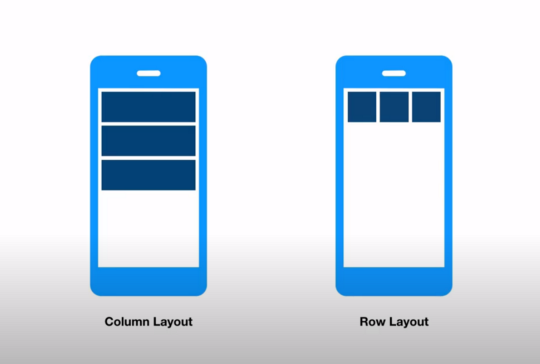
- Layouts → Rows, Columns, and Containers.
- State Management → setState, Provider, Riverpod, or BLoC.
- Navigation → Moving between screens.
- APIs → Fetching and displaying live data.
8. Resources to Learn Flutter
- Official Flutter Docs
- Dart Language Tour
- YouTube tutorials & community forums like Stack Overflow
✅ Final Thoughts
Getting started with Flutter is easier than ever. With just one codebase, you can build fast, beautiful apps for multiple platforms. Start by installing Flutter, creating your first project, and experimenting with widgets. As you progress, you’ll unlock the true potential of this powerful framework.
If you’re serious about app development in 2025, Flutter is one of the best skills you can learn.